Portfolio Store
Portfolio Store · A practical woodworking guide

How to Make a Woodworker Portfolio That Wins More Jobs

Choose your best work, turn your photos into clear projects and share a portfolio clients can explore. Follow the steps on the web or your phone.

Build your portfolio
Also available on
Get it on Google Play

Start free with one project · No coding or design skills needed

Follow the six steps
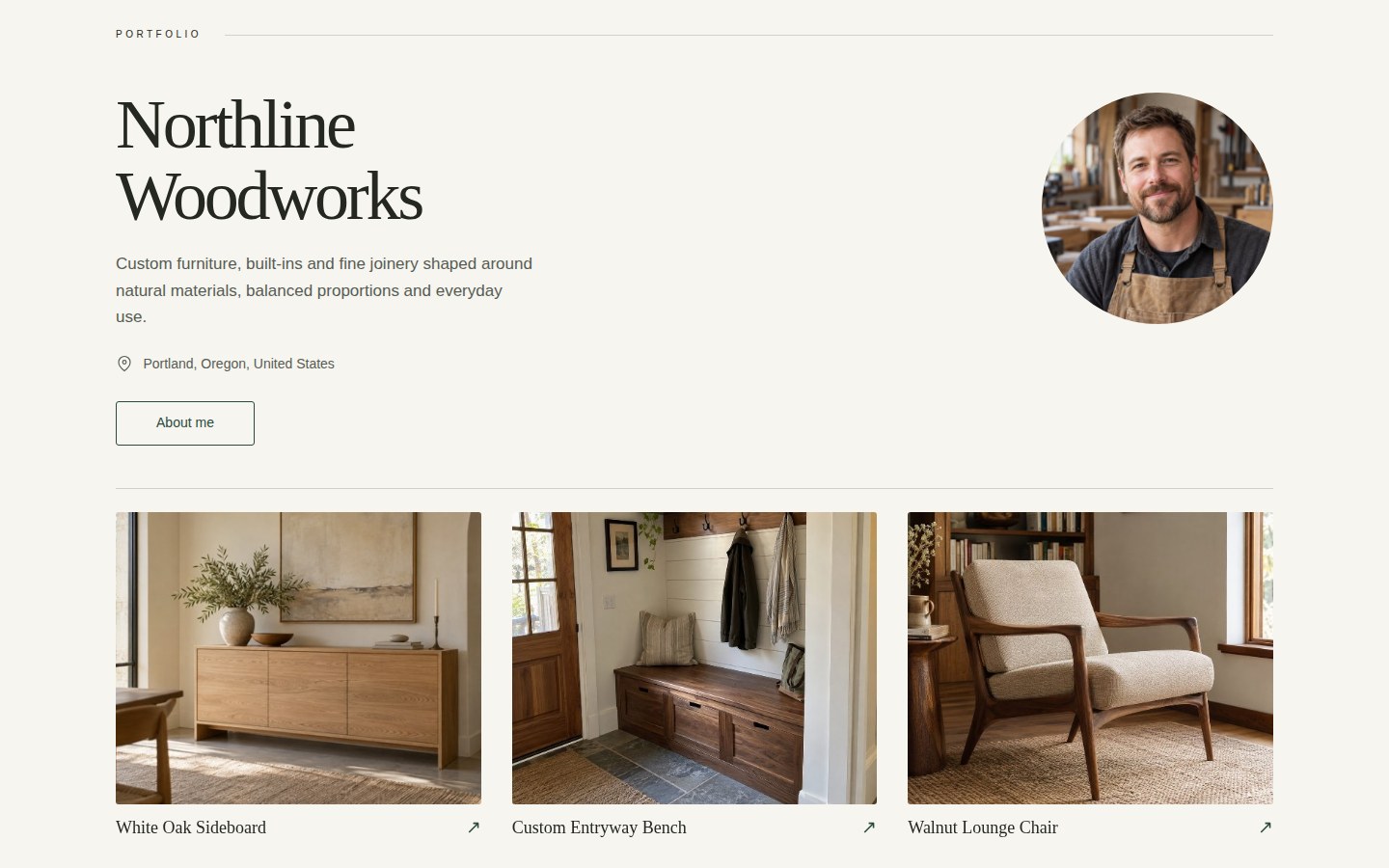
The result you're working towards Northline Woodworks profile and woodworking projects in the real Portfolio Store Classic template
Northline Woodworks · Fictional maker, functioning Portfolio Store demo. Shown with Pro features.
From workshop photos to one portfolio link

Step by Step: Build a Woodworker Portfolio

Start with a single project you are proud of. These six steps cover what to include and how to present it in Portfolio Store, using Northline Woodworks to show the finished result.

01 / Choose your work

Pick projects that show the work you want to win

A custom table, fitted cabinetry or a carefully joined drawer can each tell a different story. Choose jobs that represent your quality, range and ideal client work.

Gather two to five strong examples, then start your free portfolio with your best project. Add more projects when you need a paid plan.

Try this: lead with a finished piece, then show the material and craftsmanship that make it yours.


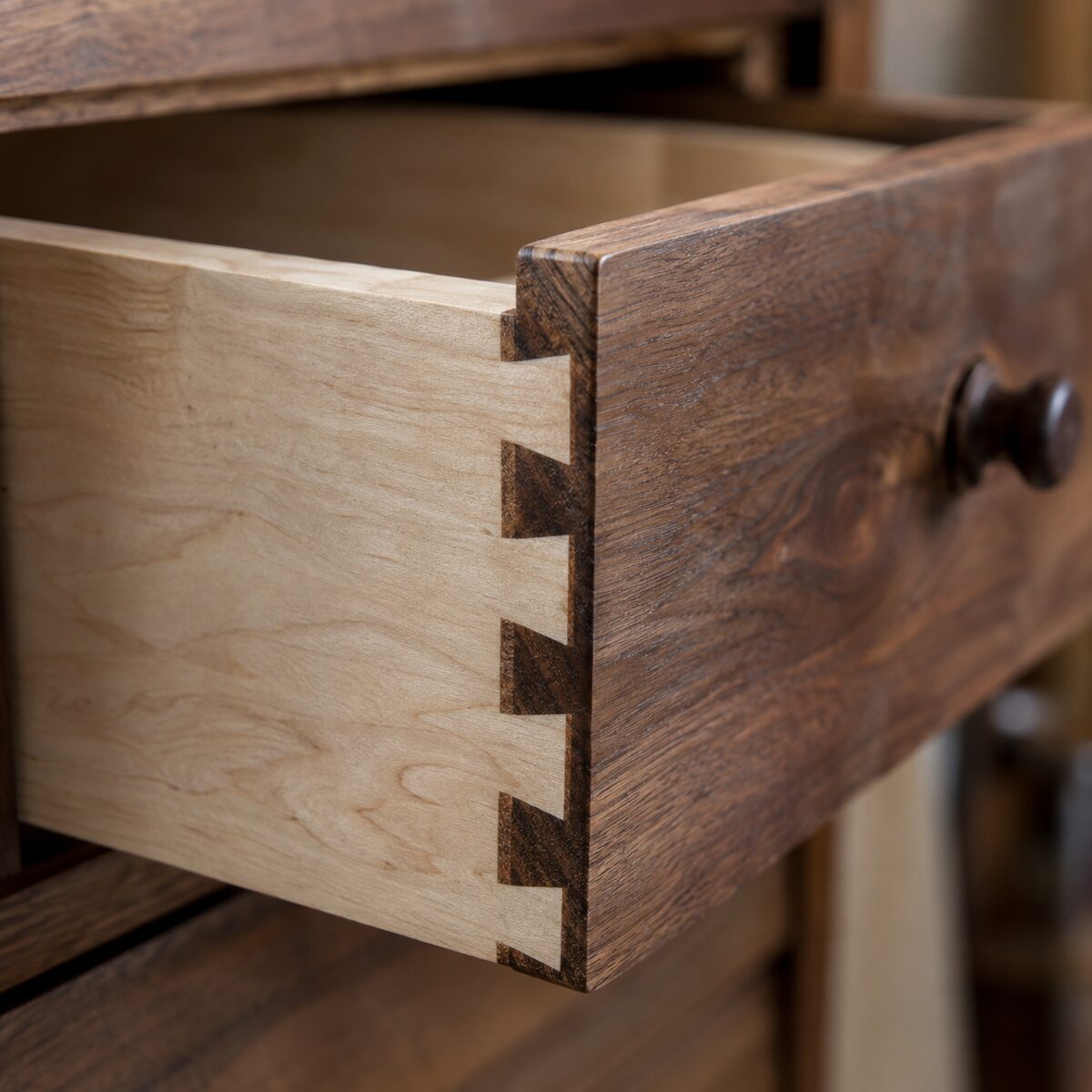
Finished walnut dining table selected as a woodworking portfolio lead imageWhite oak built-in cabinetry showing another woodworking specialtyDovetail drawer detail demonstrating joinery quality
Demo photos: finished furniture, cabinetry and a close-up of joinery.
02 / Prepare your photos

Show the result, the process and the details

Use a clear finished view first. Add another angle, a close-up of the joints or finish, and a process image that explains how the piece was made. For restoration or fitted work, a matched before-and-after pair makes the change easy to judge.

Phone photos work well with natural light, sharp focus and a tidy background. Remove near-duplicates and get permission before showing a client's home or identifying details.

A useful first gallery

  1. Finished piece in its setting
  2. A second angle showing scale or function
  3. Close-up of joinery, grain or finish
  4. Process or before-and-after photos, if useful

Choose only the images that help a client understand the job.

03 / Build your first project

Add your profile, photos and a short project summary

Open Portfolio Store and sign in. Add your name, avatar, location and a short bio describing the woodworking services you offer. Then create a project, give it a specific title and upload your selected photos.

Explain the brief, materials, approach and result in one short paragraph. Include a timeline only when it helps the client understand the scope.

Example project description

Custom walnut dining table

A six-seat table made for a compact dining room. Solid walnut, hand-finished edges and a clear oil finish bring out the grain while keeping the surface practical for daily use.

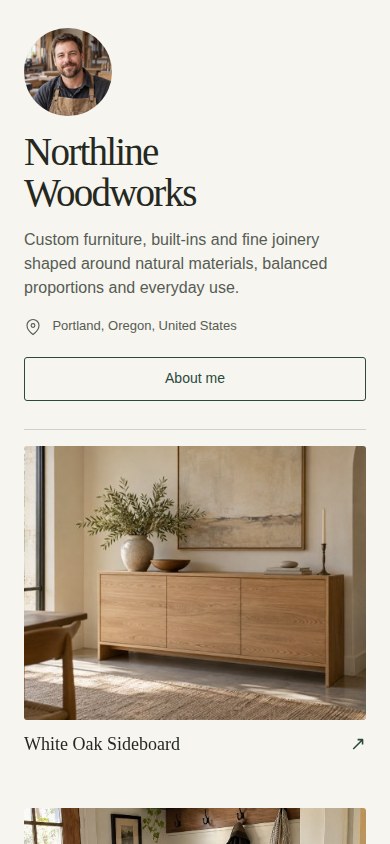
Real Northline Woodworks mobile portfolio showing its avatar, biography and Classic presentation
The published profile in Classic. Your bio introduces the maker behind the work.
Have a few photos ready?

Build your first woodworking project as you follow along

Start free with one project, then return to the guide to refine the presentation.

Build your portfolio
Also available on
Get it on Google Play
04 / Choose your presentation

Choose a look that lets your craftsmanship lead

Try the available portfolio templates and check your work on a phone as well as a larger screen. Your photos and project information do the hard work; the layout should make them easy to browse.

Below, the same Northline content is shown in Classic and Obsidian. Template availability and extra projects depend on your plan; this demo uses Pro features.

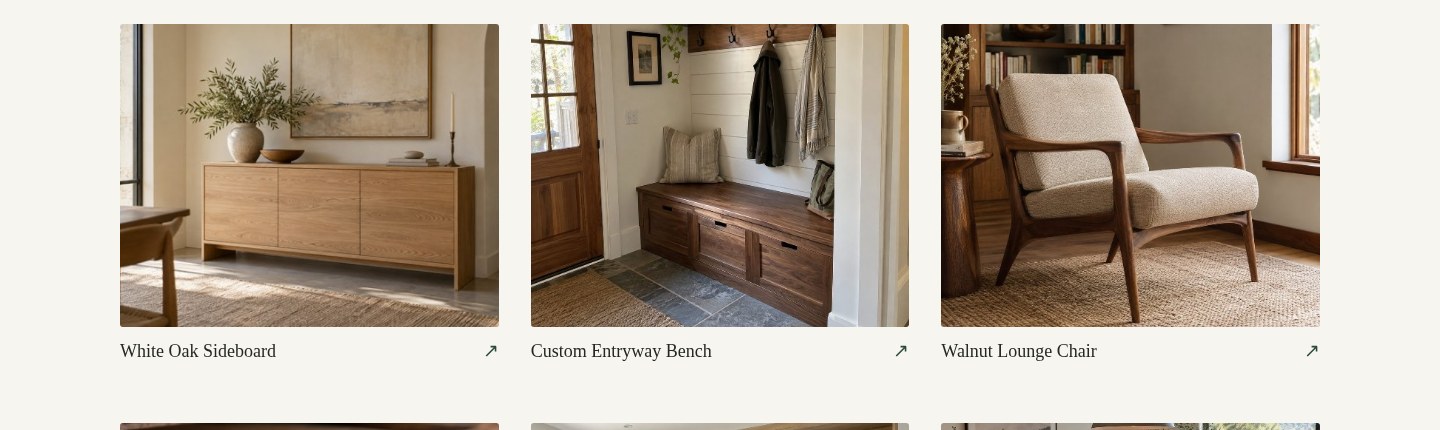
Real Classic template screenshot of the Northline Woodworks project gallery
Classic · A light, straightforward gallery
The same Northline Woodworks projects rendered in the real Obsidian template
Obsidian · A dark presentation for your work

Actual Portfolio Store screenshots of a fictional demonstration profile.

06 / Keep it current

Replace weaker work as your portfolio grows

Review your portfolio after each strong project or at least monthly. Add recent jobs, replace repetitive images and keep your services and contact details current. Group projects by service type when it helps clients find relevant work.

A focused selection of recent furniture, cabinetry and joinery communicates more than an unedited archive. Keep the quality bar consistent across every project you publish.

Need ideas for what to show? Browse woodworker portfolio examples →

What to Include in a Strong Woodworker Portfolio

Service Categories

Group your work into categories like custom tables, cabinetry, built-ins, doors, and restoration projects for easier browsing

Proof of Process

Include milestones such as design, milling, joinery, sanding, finishing, and final installation to show how you execute projects reliably

Client Confidence Signals

Add project context, location type, and testimonials to help prospects feel confident before they contact you

A Repeatable Process Makes Portfolio Growth Easier

When you follow a clear framework for selecting projects, writing summaries, and publishing updates, your portfolio improves continuously without extra complexity. This consistency helps you keep quality high over time and ensures new leads always see recent work that represents your current standard.

Why This Portfolio Strategy Works

Fast

Easy to Keep Updated

Upload finished jobs as they happen and maintain a fresh portfolio without extra admin work

Clear

Clients Understand Your Value

Well-structured project examples make it easier for clients to compare your quality and choose you

Better

Higher Quality Leads

When leads see the level of your work in advance, conversations become more serious and conversion improves

FAQ: How to Make a Woodworker Portfolio

How many projects should a woodworker portfolio have?

Aim for 2 to 5 quality projects rather than many average ones. You can start free in Portfolio Store with one project and add more with a paid plan.

What photos should woodworkers prioritize?

Use before and after images, key progress milestones, and final detail shots that highlight quality and finish.

How do I share my woodworker portfolio with leads?

Share your link in every quote, DM, and follow-up message so prospects can review your work before deciding.

Should I organize projects by service type?

Yes. Organizing by service type helps clients find relevant examples quickly and improves conversion quality.

How detailed should each project description be?

Keep it short and practical: objective, approach, and final result. One clear paragraph is usually enough.

How often should I refresh my woodworker portfolio?

Update it at least monthly, or after each strong project, so prospects always see your latest quality level.

Ready to build your woodworker portfolio today?

Create your portfolio in minutes and start sharing it with your next leads

Portfolio Store Build your portfolio
Also available on
Get it on Google Play

Related articles

Portfolio Store for Woodworkers

Explore the main woodworker hub with practical portfolio resources and all core guides.

Best projects for woodworker portfolio

Learn which project categories to prioritize so clients quickly understand your expertise.

Tips for woodworker portfolio

Apply practical improvements to photo quality, structure, and project storytelling.

Woodworker portfolio examples

Review proven portfolio structures you can adapt to your services and project types.

Client showcase for woodworker portfolio

Discover how to present before-and-after cases that build trust and improve lead quality.

Online presence for woodworkers

Strengthen your visibility so more prospects discover your work and contact you.